> ## Documentation Index
> Fetch the complete documentation index at: https://moengage-sdk-docs.mintlify.site/llms.txt
> Use this file to discover all available pages before exploring further.
# Subscribe to MoEngage SDK Releases
You can now receive a notification whenever MoEngage releases a new version of native and hybrid SDKs, by subscribing to the Github release.
You must be logged in to Github.
Perform the following steps to subscribe to an SDK release notification:
1. Go to the required GitHub repository.
We will add support for other SDKs soon.
* Android: [https://github.com/moengage/android-dependency-catalog](https://github.com/moengage/android-dependency-catalog)
* iOS: [https://github.com/moengage/apple-sdk](https://github.com/moengage/apple-sdk)
* React Native: [https://github.com/moengage/React-Native](https://github.com/moengage/React-Native)
* Flutter: [https://github.com/moengage/Flutter-SDK/](https://github.com/moengage/Flutter-SDK/)
* Unity: [https://github.com/moengage/MoEngage-Unity-SDK](https://github.com/moengage/MoEngage-Unity-SDK)
2. Click **Watch**. The Notifications pop-up window is displayed.\\
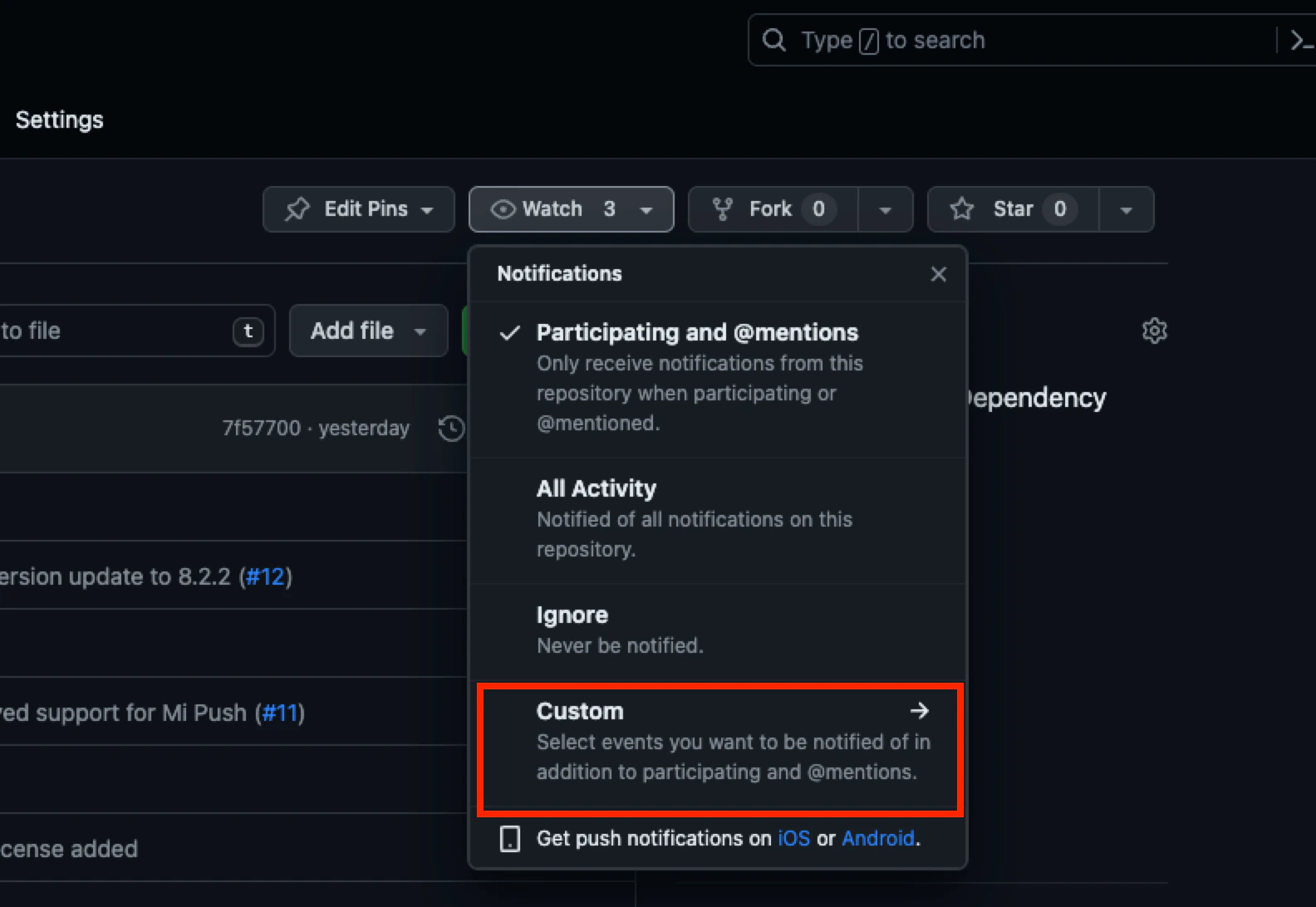 3. Click **Custom**. The Custom pop-up window is displayed.\\
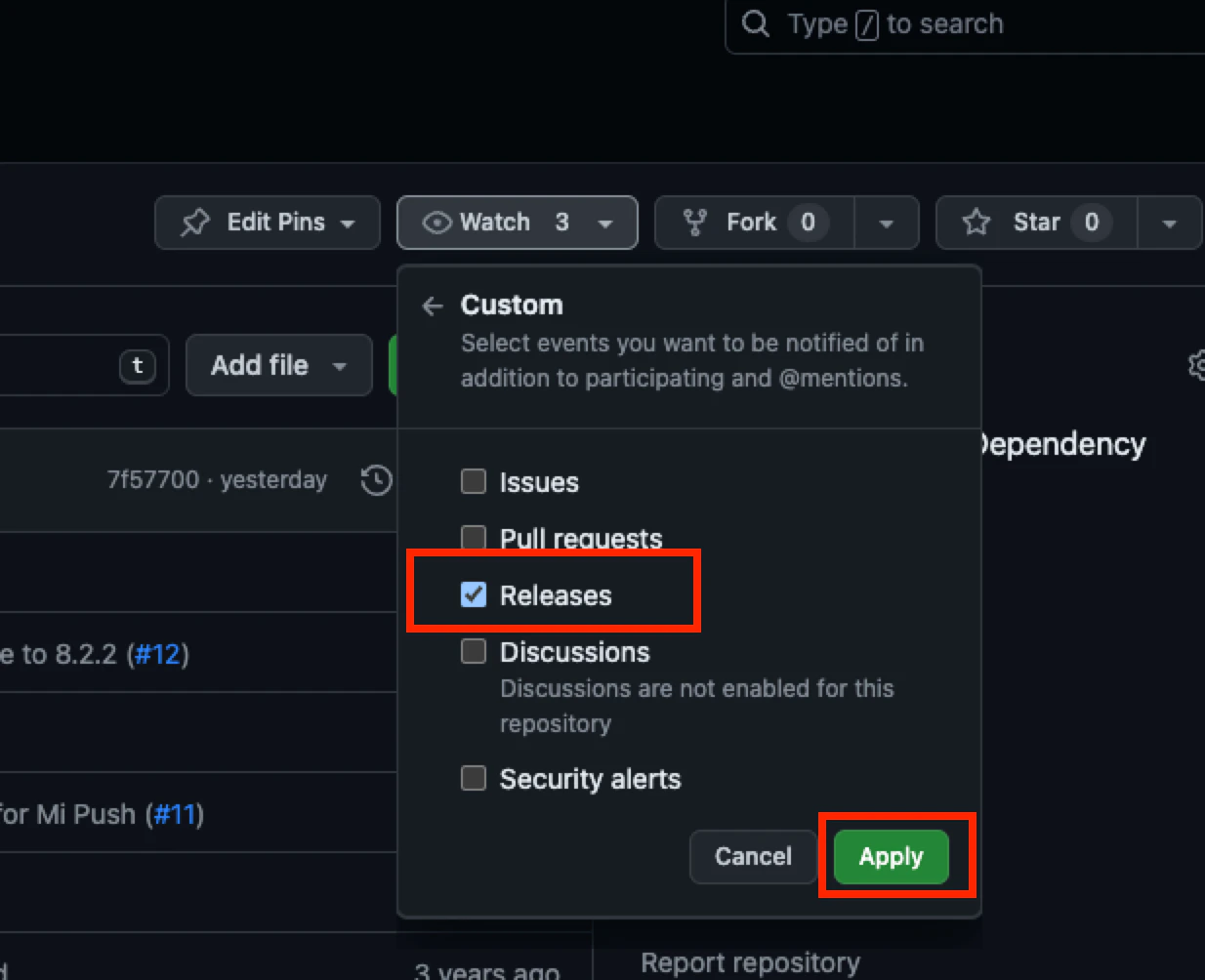 4. Select **Releases** and click **Apply**.
Whenever MoEngage releases a new version of an SDK, you will receive a notification through an email stating a new version is available.
4. Select **Releases** and click **Apply**.
Whenever MoEngage releases a new version of an SDK, you will receive a notification through an email stating a new version is available.