Optional step for data tracking.
MoEngage provides you behavioral data only for the users who opt-in for push notifications. If you are trying to optimize the opt-in funnel, and check the exact stats on how many users have agreed/blocked to subscribing push notifications, you will have to track it as part of your existing analytics solution. To achieve this, we have exposed opt-in callback interaction events that can be listened to so that you can track them using your own analytics flow.

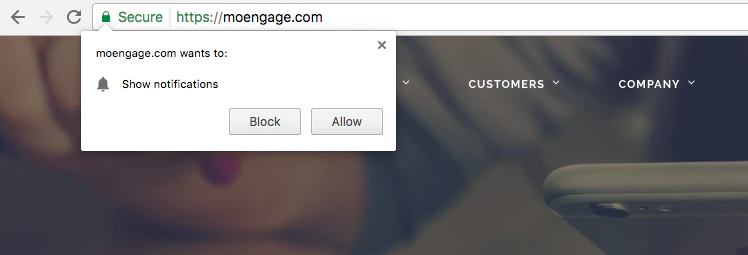
Hard ask prompted by the Browser

Hardaskpromptedbybrowser

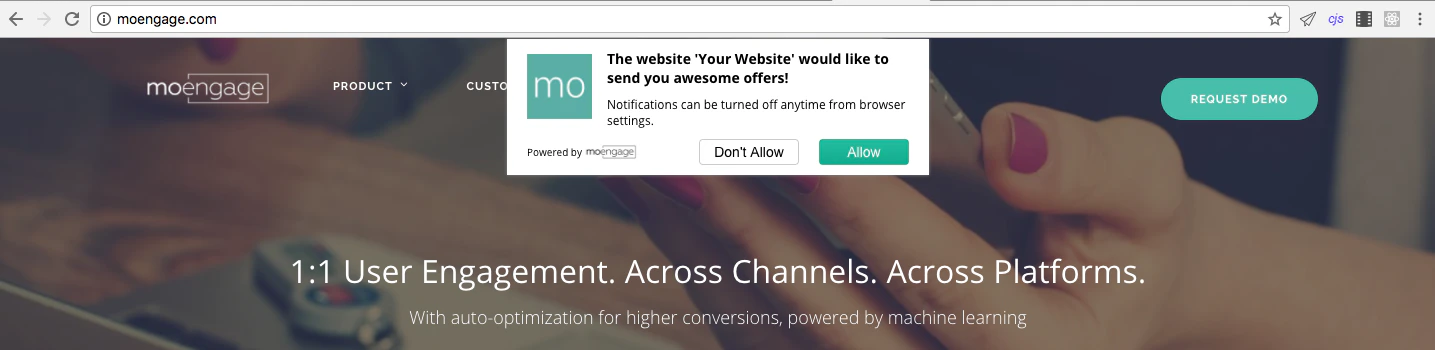
Soft ask prompted by MoEngage

Softaskpromptedby Mo Engage

Detailed Reference for Opt-in interaction Callbacks

Event listener syntax
window.addEventListener("MOE_OPT_IN",function(e){
  //Track events here
});
The name of the Event is MOE_OPT_IN. Type of events are:

Default opt-in interaction events:

EventDescription
opt_in_shownDefault opt-in shown
opt_in_allowedUser clicked allow
opt_in_blockedUser clicked block
opt_in_dismissedThe user dismissed the opt-in (Closed the dialog box)

Custom opt-in (Soft-Ask) interaction events:

EventDescription
soft_ask_shownCustom opt-in shown
soft_ask_allowedUser accepted the opt-in.
soft_ask_closedUser dismissed the opt-in
For further assistance, please contact your MoEngage Customer Success Manager (CSM) or the Support team.